
Download Masonry – AI‑Driven Task Automation & Workflow Tool
Overview
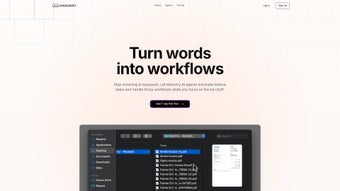
In today’s hyper‑connected business landscape, repetitive manual tasks consume a significant portion of employee time, slowing down innovation and inflating operational costs. Masonry answers that challenge by offering a cloud‑native, subscription‑based automation platform that harnesses multiple specialized AI agents to turn plain‑language instructions into fully‑functional workflows. The core of Masonry’s value proposition is its “words‑to‑workflow” engine: users simply type a description such as “When a new lead appears in HubSpot, send a welcome email and create a task in Asana,” and the AI instantly builds a visual flowchart, maps connectors, and activates the process without any coding or drag‑and‑drop effort.
This approach dramatically reduces the learning curve that plagues traditional automation suites, enabling teams—whether a five‑person startup or a global enterprise—to automate data entry, approvals, reporting, and cross‑system synchronisation in minutes rather than weeks. Because Masonry lives entirely in the browser, updates are delivered automatically, ensuring that every user benefits from the latest AI enhancements, security patches, and feature releases. The platform also emphasizes enterprise‑grade security, offering end‑to‑end encryption, role‑based access controls, and compliance with GDPR, CCPA, and SOC 2 Type II.
In short, Masonry is not just another task‑automation app; it is a strategic productivity partner that scales with organizational growth while keeping the user experience simple, secure, and continuously improving.
Key Features, Benefits, Pros & Cons
Masonry’s feature set is designed to address the most common pain points of workflow automation while delivering measurable business benefits. The AI‑powered multi‑agent architecture allows the system to decompose complex processes into manageable sub‑tasks, each handled by a specialist agent that optimizes speed and accuracy. Natural‑language workflow creation eliminates the need for technical expertise, empowering business analysts and even non‑technical staff to automate processes directly from a chat‑style interface.
The platform’s extensive library of pre‑built connectors—covering Slack, Salesforce, Google Workspace, Microsoft Teams, HubSpot, and many more—means integration time is reduced from days to hours. Real‑time collaboration lets multiple users co‑author and edit workflows, while version control and an immutable audit trail provide compliance teams with the transparency required for regulated industries. The integrated analytics dashboard delivers actionable insights such as time saved, error rates, and ROI, turning automation efforts into quantifiable business value.
Security is baked in: all data is encrypted in transit (TLS 1.3) and at rest (AES‑256), and granular permission settings ensure that only authorized personnel can modify critical workflows.
- AI‑Powered Multi‑Agent Automation: Specialized agents collaborate to execute multi‑step processes with high precision.
- Natural‑Language Workflow Builder: Type plain English commands; Masonry translates them into actionable flows instantly.
- Cross‑Platform Real‑Time Collaboration: Teams can edit, comment, and monitor workflows together from any browser.
- Enterprise‑Grade Security & Compliance: End‑to‑end encryption, role‑based access, GDPR, CCPA, SOC 2 Type II.
- Dynamic Triggers & Scheduling: Time‑based, event‑based, and condition‑based triggers launch workflows automatically.
- Analytics & ROI Dashboard: Visual metrics on performance, time saved, and error frequency.
- Extensive SaaS Connectors: Pre‑built integrations with Slack, Salesforce, Google Workspace, HubSpot, Microsoft Teams, and more.
- Version Control & Auditing: Every change is logged, enabling rollbacks and compliance reporting.
- Scalable Subscription Model: Tiered pricing for teams, businesses, and enterprises with seat flexibility.
- Continuous Learning Engine: AI agents improve over time by learning from user corrections.
Pros
- Intuitive natural‑language interface removes the need for coding expertise.
- Multi‑agent AI ensures high accuracy for complex, multi‑step workflows.
- Robust security and compliance meet enterprise standards.
- Real‑time collaboration and version control foster transparent teamwork.
- Rich library of connectors accelerates integration projects.
- Scalable pricing accommodates startups to large enterprises.
- Continuous learning improves automation quality over time.
Cons
- Requires an active internet connection; no offline mode.
- Subscription cost may be prohibitive for very small teams.
- Advanced customisation beyond the natural‑language builder can involve a learning curve.
- Some niche SaaS tools lack native connectors, necessitating custom API work.
- Initial onboarding can be time‑consuming for organizations with many legacy processes.
Installation, Compatibility & Usage Guide
Masonry is a pure web application, which means there is no traditional software download or client‑side installation. Users simply sign up via the Masonry website, confirm their work email, and are instantly taken to a browser‑based dashboard. Because the service runs on modern web standards, it is compatible with any operating system that supports a recent version of Chrome, Edge, Firefox, or Safari—including Windows 10/11, macOS Ventura, most Linux distributions, and ChromeOS. The responsive design also adapts gracefully to tablet and mobile browsers on iOS and Android, allowing managers to monitor workflow performance on the go. All data resides securely in the cloud; updates, security patches, and AI model upgrades are rolled out automatically without user intervention, guaranteeing that every session runs on the latest version.
Getting Started: After registration, create a new “project” to group related workflows (e.g., Marketing, Sales, HR). Click “Create New Workflow,” then type a natural‑language description of the desired automation. Masonry parses the sentence, suggests relevant connectors, and produces a visual flowchart that can be refined with drag‑and‑drop nodes if needed. Activate the workflow with a single toggle, and the AI agents begin monitoring the defined triggers.
Using the Platform: The dashboard provides three main tabs—Workflows, Analytics, and Settings. In Workflows, you can edit, clone, or archive existing automations. Analytics offers real‑time metrics, error logs, and ROI calculations. Settings let you manage team members, configure SSO, set up API keys for on‑premise integrations, and adjust notification preferences. For bulk migrations, Masonry supports CSV or Excel imports; simply map column headers to workflow steps, and the system will generate corresponding automations automatically.
Support & Resources: Masonry offers a knowledge base, video tutorials, and live chat support for all subscription tiers. Enterprise customers receive a dedicated account manager and SLA‑backed response times. Because the platform is API‑first, developers can extend functionality by calling secure endpoints from on‑premise systems, enabling hybrid cloud‑on‑premise architectures.
Frequently Asked Questions
How does Masonry’s AI understand natural‑language workflow requests?
Masonry leverages a proprietary large‑language model fine‑tuned on millions of business process examples. When you type a sentence, the model extracts entities (e.g., “new lead”, “HubSpot”), actions (“send email”, “create task”), and conditions, then maps them to built‑in connectors and automation steps, producing a visual workflow ready for review.
Is my data safe when using Masonry?
Yes. All data in transit is protected with TLS 1.3, and data at rest uses AES‑256 encryption. Role‑based access control ensures only authorized users can view or modify workflows, and the platform complies with GDPR, CCPA, and SOC 2 Type II.
Can I integrate Masonry with on‑premise systems?
While Masonry is primarily cloud‑based, secure API endpoints can be called from on‑premise applications. Organizations can use a reverse proxy or VPN tunnel to keep data within their firewall, enabling hybrid integration scenarios.
What pricing plans are available and is there a free trial?
Masonry offers a 14‑day free trial with full feature access. After the trial, plans start at $19.99 per user per month for the “Team” tier, $49.99 for “Business”, and custom enterprise pricing that includes dedicated support and SLA guarantees.
How does Masonry handle workflow errors or failures?
Each workflow step generates an execution log. If a step fails, Masonry automatically retries based on configurable policies and sends alerts via email or Slack. The audit trail records the error, retry attempts, and final outcome, simplifying troubleshooting.
Conclusion & Call to Action
Masonry distinguishes itself in the crowded automation market by coupling powerful multi‑agent AI with a frictionless natural‑language interface. For organizations eager to eliminate manual data entry, streamline approvals, and gain visibility into process efficiency, Masonry offers a secure, cloud‑first platform that continuously evolves through machine learning. While the subscription price and lack of an offline mode may give some teams pause, the measurable productivity gains—often translating into dozens of hours saved each week—typically outweigh the cost. If you’re ready to replace repetitive tasks with intelligent automation, start your free 14‑day trial today, explore the AI‑driven workflow builder, and experience how Masonry can turn everyday instructions into strategic business value.



.png)



